
Not bad for October.
Know where the money is.
What came in, what’s still owed, what’s overdue and what you spent, with receipts from the truck kept in order.

Monday morning, sorted.
What came in. What’s still owed.
Collections, unpaid invoices and recorded spend on one screen. See the last 7, 30 or 90 days, or all time.
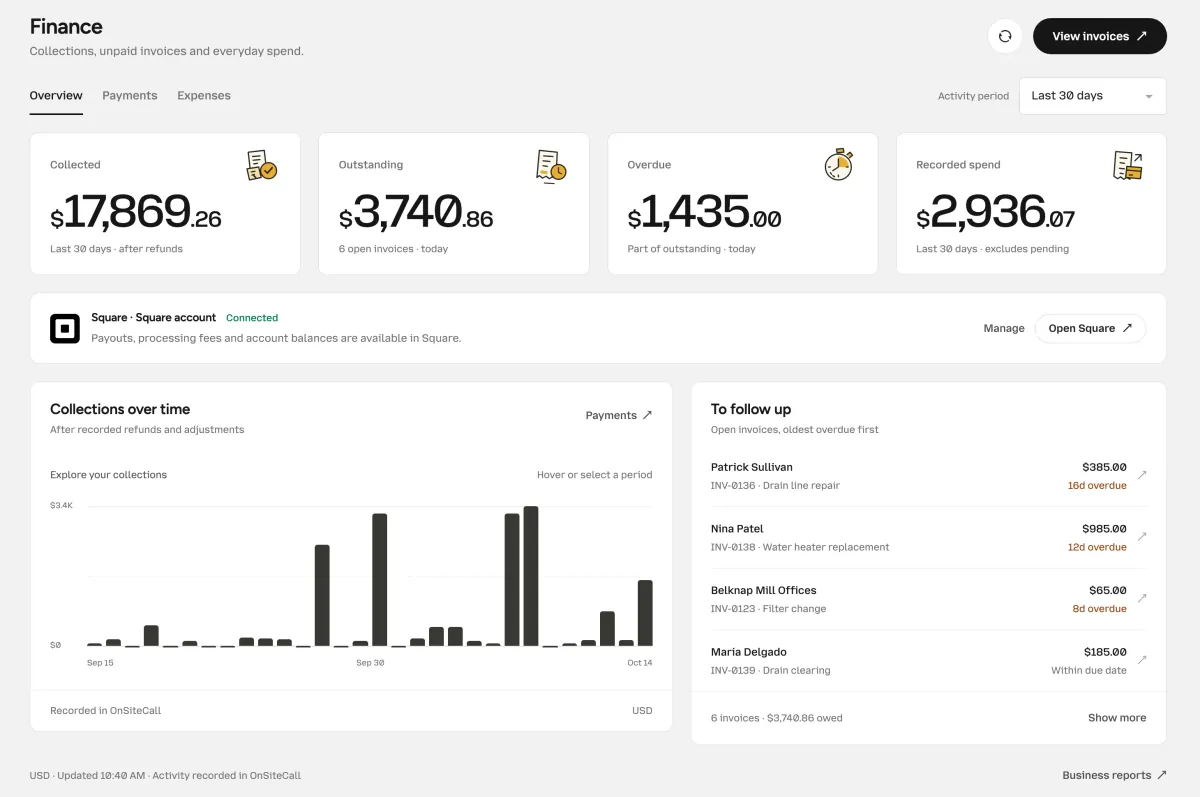
Collected means collected.
Money that actually came in, after refunds.
Oldest overdue first.
To follow up lists the open invoices that have waited longest at the top.
Payouts stay put.
Payouts, fees and balances stay in your Square or Stripe account, one click away.
Snap it before it fades.
Snap it. Check it.
Snap a receipt in the mobile app. The details are read for you. Check them, tap Looks right, and it’s filed.
Connect a supported bank to bring in charges alongside your receipts. Match them where possible and find missing receipts with one filter.
01 / Snap the receipt
Main Street Hardware
Oct 10 · Purchase receipt
Total$174.65
Card ···· 4417
Details read. Ready to check.
02 / Check the details
Needs review- Vendor
- Main Street Hardware
- Date
- Oct 10
- Total
- $174.65
- Paid with
- Card ···· 4417
Browse example expenses
Less digging at year end.
Hand it to your bookkeeper.
Download payments and expenses as CSV files. Your bookkeeper gets the records, ready to work with.
Finance keeps your records in order. It is not a complete profit-and-loss statement.
Payments
onsitecall-payments.csv
Download sample CSVExpenses
onsitecall-expenses.csv
Download sample CSV
Good month, crew.
See how each tech is doing.
Compare jobs paid, money collected and average job value by technician. See where your leads end up, too.
Owners and managers open them from the Business reports link in Finance.
Business reports
Where leads end up
Technician performance
| Technician | Jobs paid | Collected | Avg / job |
|---|---|---|---|
| Marcus Reyes | 18 | $7,920 | $440 |
| Dana Whitfield | 15 | $6,540 | $436 |
| Reggie Cole | 9 | $3,409 | $379 |
Questions about the money.
What Finance shows, where your payouts live, and what to hand your bookkeeper.
What’s in Finance?
Money collected, outstanding and overdue invoices, and recorded spend, for the last 7, 30 or 90 days or all time. Payments and expenses each have their own tab beside the overview.
Where do payouts and processing fees live?
In your Square or Stripe account. Finance shows the payments your customers made and links straight to your account for payouts, fees and balances.
How do receipts get in?
Photograph them in the mobile app and the details are read for you. Back in the office, give each one a quick check and tap Looks right.
Can I connect my business bank account?
Yes. Connect a supported bank through Plaid to bring transactions into Finance with read-only access. Receipts and bank charges are matched where possible. Review unmatched or uncategorized spend before using it for bookkeeping.
Can I export my records?
Yes. Payments and expenses each download as a CSV file, ready to hand to your bookkeeper.
Does it replace my accountant?
No. Finance keeps your records in order for them. It is not a complete profit-and-loss statement.
Can I see how each technician is doing?
Yes. Business reports show jobs paid, money collected and the average per job for each technician, along with where your leads end up. Owners and managers can open them.
No shoebox required.
Know where you stand.
Collections, unpaid invoices and everyday spend, kept in order from the work you already do in OnSiteCall.
Try it free for 15 days. No credit card required.